The mezzanine at work is our storage space. A large section of the mezzanine includes all of the Christmas decorations that appear this time of year.
I use the mezzanine to take a walk during my lunch hour. Last spring, I saw these holiday figures and packages wrapped in plastic while walking. It was such a striking scene that I had to grab my camera to grab some behind-the-scenes photos.
Happy holidays, everyone. See you in the new year.
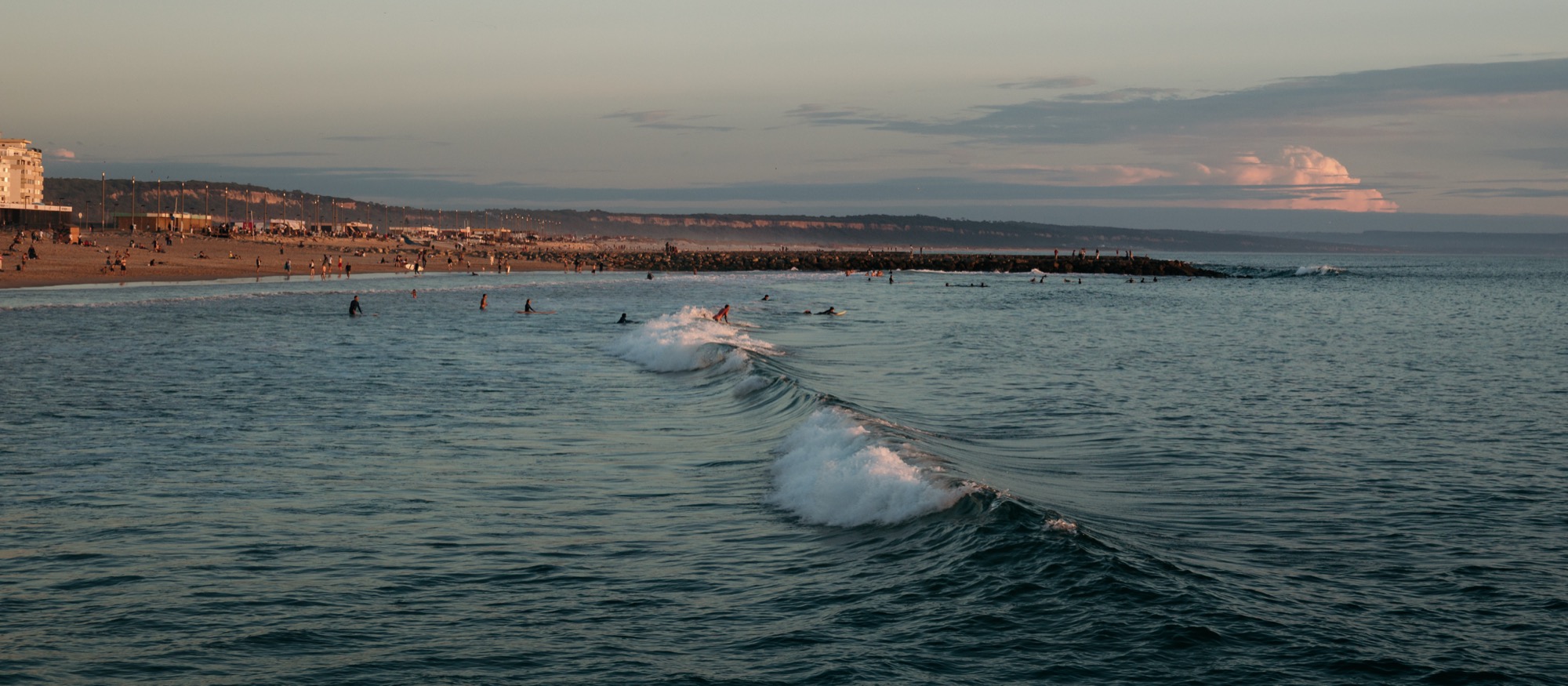
First things first on our Portugal trip: Costa da Caparica, the little beach town we stayed in south of Lisbon.
For our 10-year wedding anniversary, we rented an Airbnb condo where, when you stepped outside the building, you were right on the beach. And believe me: coming from the chilly Midwest, we appreciated having easy access to the warm oceanside.
All of it – the seaside restaurants, the surfers, the golden light at sunset – reminded me of California. The weather was great too, full of sunshine and an ocean breeze.
The bright sun and saltwater haze lent a summer vibe to these photos that I appreciated, especially when visiting in the middle of October.
We loved the constant waves, too, and even kept our patio door open at night. Think of it as an ocean-sized sound machine.
I grabbed my Canon EOS M6 and took advantage of the sunshine and summer vibes to capture some photos along the beach walkway.
Whether we were eating lunch at a seaside restaurant or walking through a Portuguese flea market, it was the perfect place to capture the local people and places.
And the light? To die for, especially approaching golden hour.
Just like California, ocean sunsets hit differently.
Caparica was a great launching point into the wider Lisbon area. We were 30-50 minutes (depending on traffic) to Lisbon, and from there we wandered up and down the coast for the few days we were in Portugal.
All photos shot with the Canon EOS M6 and a select few EF-M lenses.
I came back to Austin, Texas, for a conference in November – the same conference I attended last year and had such a productive photography trip, walking around the city.
This year, it was much the same: beautiful, sunny weather, and a great chance to walk around downtown to grab some night images.
I brought along my Canon EOS M6 and a couple of bright lenses to capture the nightlife around 6th Street and the surrounding blocks.
Fujifilm cameras are famous for their film simulations that give images a unique character straight out of the camera.
One of the most beloved of these is Classic Chrome, known for its subtle tones, soft contrast, and cinematic feel.
But what if you shoot Canon? Good news: as I’ve talked about before with film emulations like Kodachrome and T-Max, you can get surprisingly close to that Fujifilm look with Canon’s Picture Style system.
Fuji’s Classic Chrome is all about restraint. It tones down saturation, especially in reds and blues, creating a muted, documentary-style color palette. Shadows lean slightly cool, highlights stay gentle, and the overall feel is understated – with a little touch of pink/magenta in bright spots. Think: vintage travel magazines or classic street photography.
And honestly, it’s very different from my own high-contrast, deep-saturation look. However, thanks to this Canassic Chrome (Canon + Classic = Canassic) emulation, we Canon users can achieve a similar look to that of Fuji using Picture Styles.
Here’s a quick comparison: my edit on the left, Canassic Chrome on the right:
I prefer my shadows to be black and my colors to pop (left). Classic Chrome (right) is different, a bit softer, and I took a chance on it during a recent trip to Lisbon, Portugal.
Canassic chrome in portugal
On our anniversary trip to Lisbon, Portugal, I loaded my Canon EOS M6 with Canassic Chrome to give it a spin.
What made this trip great was the variety of weather conditions. We saw sunny beach scenes, rainy and foggy hilltops, ocean cliffs, sea-side sunsets, and the contrasty urban environment of old town Lisbon.
Above, it shows its subtle tones and desaturated look on the beach at Costa De Caparica, Portugal.
I’ll have more to share on our Portugal trip, but throughout this Canassic Chrome discussion, you’ll see photos from the M6 that show what Canassic Chrome can do.
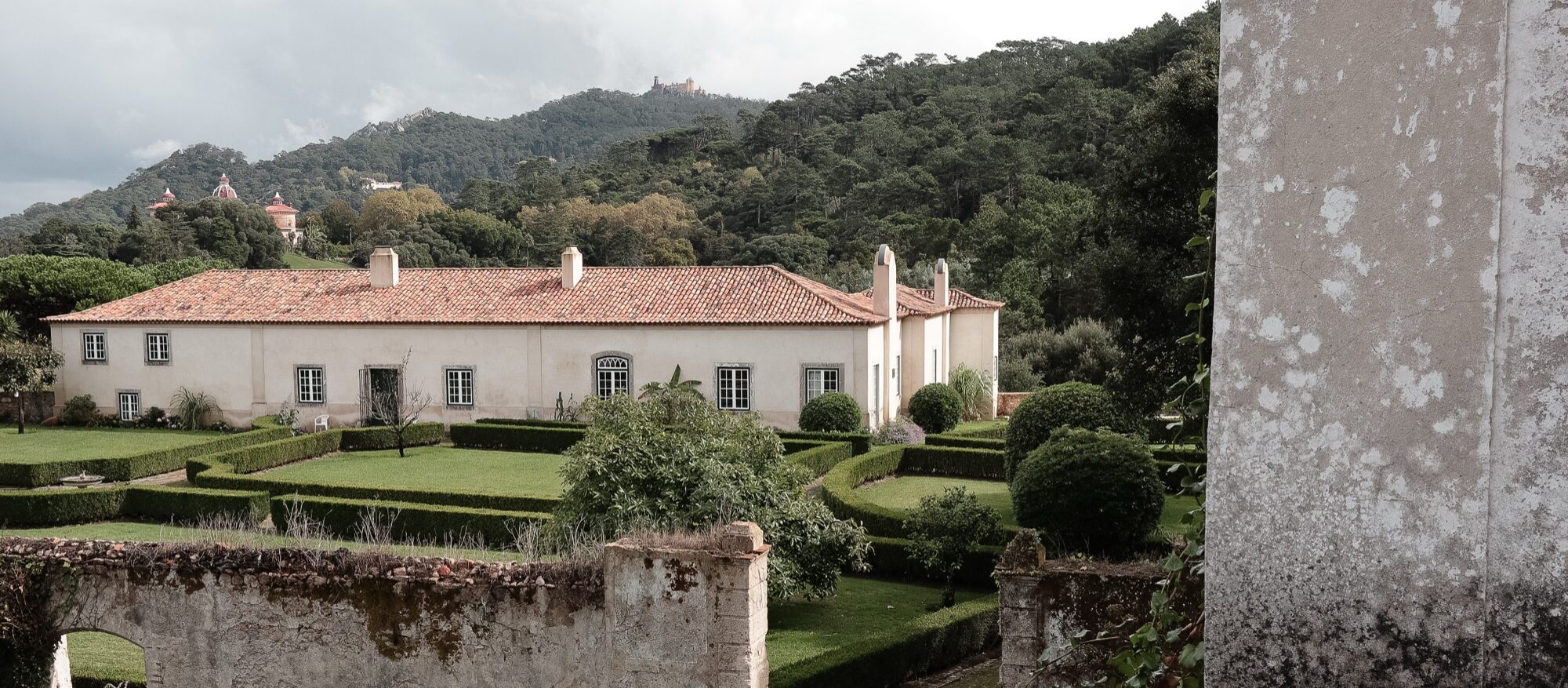
Above, I try Canassic Chrome on a rainy, foggy day in Sintra, exploring the colorful palaces and green hillsides.
Adding a touch of warmth by using Canon’s cloudy white balance was maybe a bit too much – but that’s what the experiment is for.
Here, I took Canassic Chrome for a test drive on the beaches of Costa de Caparica, close to sunset, to capture the soft, golden hour tones of the Atlantic coast.
These show the slight pink and magenta cast the Picture Style offers. It’s definitely a unique look.
WHere to get canassic chrome, and how to install it
Initially, you could grab Canassic Chrome from a site called Canon Style. Their YouTube channel remains, but the site is no longer available.
Thankfully, you can grab the Picture Style from Anh Hàng Xóm on Gumroad (I threw $1 at him, just to say “thanks”)
Once you have downloaded the PF3 file, follow these steps to install it on your Canon camera.
Set your camera to shoot either JPG only or JPG + RAW, and select the Picture Style to have your camera save a Chrome JPG.
Go out and find something to photograph to test it out.
Above are some scenes from around Old Town Lisbon – bright and sunny, showing that Canassic Chrome can be a versatile film emulation that I found flexible enough to both fit my style and provide a unique look to these pictures.
How to create your “Classic Chrome-style” Picture profile file
Want to create a Chrome style all your own? Canon’s Picture Styles give you full control over how your JPEGs (and preview images in RAW) render color, contrast, and sharpness. You can tweak existing profiles or load custom ones into your camera using Canon’s Picture Style Editor or third-party styles designed to emulate Fujifilm simulations.
The look to shoot for: muted global saturation (especially red/orange), slightly cool/teal shadows, restrained highlight roll-off, modest contrast in midtones. Overall, a cinematic and documentary feel (quiet, desaturated, moody). Use this as the target when building a Canon Picture Style.
Open either the Faithful setting or the Canassic Chrome as a base style in the editor.
Adjust parameters to your liking:
Contrast: –2
Saturation: –2
Color Tone (or colour tone/hue): slight warm shift (+1)
Sharpness: a modest increase (+2)
Save/export the result as a .PF2 (or .PF3 if your camera supports it).
Use EOS Utility (Canon’s camera software) to upload the PF2 to your camera’s custom picture-style slot.
Shooting with THIS Classic chrome Profile
Using a Classic Chrome-style Picture Style lets you capture photos with mood and personality straight out of camera. It can save editing time, help maintain a consistent aesthetic across shoots, and inspire a slower, more intentional approach to composition. Think of it like shooting film.
Coming back from Portugal, using the film emulation definitely saved on editing time. I picked a few selects from the JPGs and shared them on Instagram almost instantly. Since I can wirelessly transfer the photos from my M6 to my phone, it made sharing these photos super easy.
Whether you’re documenting a quiet street corner in Lisbon or chasing soft afternoon light near your own home, bringing a Classic Chrome vibe to your Canon setup is an easy way to infuse your digital pictures with timeless character.
Our summer vacation to Nova Scotia and Maine was an endurance test for both driving (almost 70 hours worth) and photography (two weeks worth of photos to organize and edit).
There’s probably such a thing as “too much travel,” and we were right up against that limit. But we also had an amazing time and got to experience a beautiful portion of North America.
A few final thoughts on our 2025 adventure:
The kids, thankfully, can now fully entertain themselves in the car. They’re old enough now to manage their activities, keep themselves busy, and not ask us parents for too much attention.
The driving was worth it. Yes, there was a lot. But I loved seeing Canada and the U.S. this way. I’ll never forget driving through New Brunswick and rounding a corner to see a beautiful lake at the bottom of a valley, or following the St. Lawrence River through Quebec and seeing where it empties into the Atlantic Ocean.
My photography kit was perfect. Having the super-compact and capable Canon EOS M6, along with a few lenses, was all I needed. I’ve created a video review of the camera – check it out on YouTube, featuring some of the photos from this trip.
Now I’m off to work on our annual summer vacation photo book.
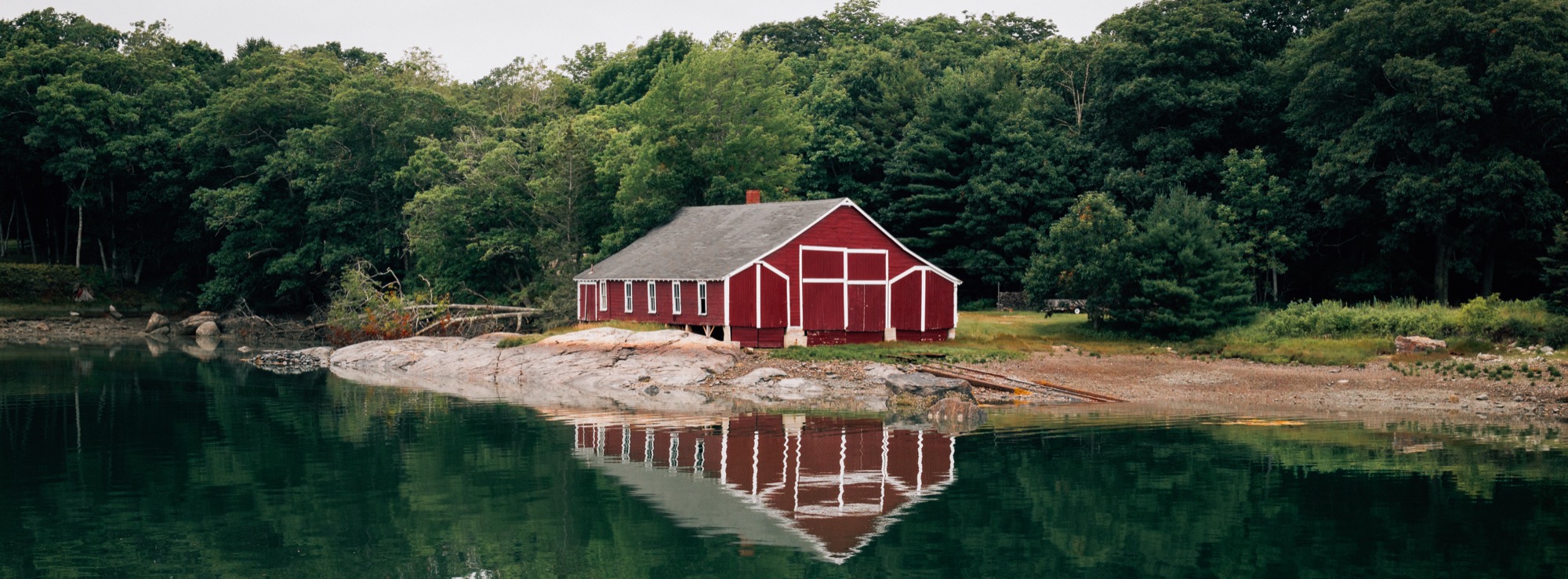
After leaving Canada by way of New Brunswich and the border, we landed in Brooklin, Maine, our home for the next week.
We arrived at nightfall, so we had no glimpse of the peninsula where we sat.
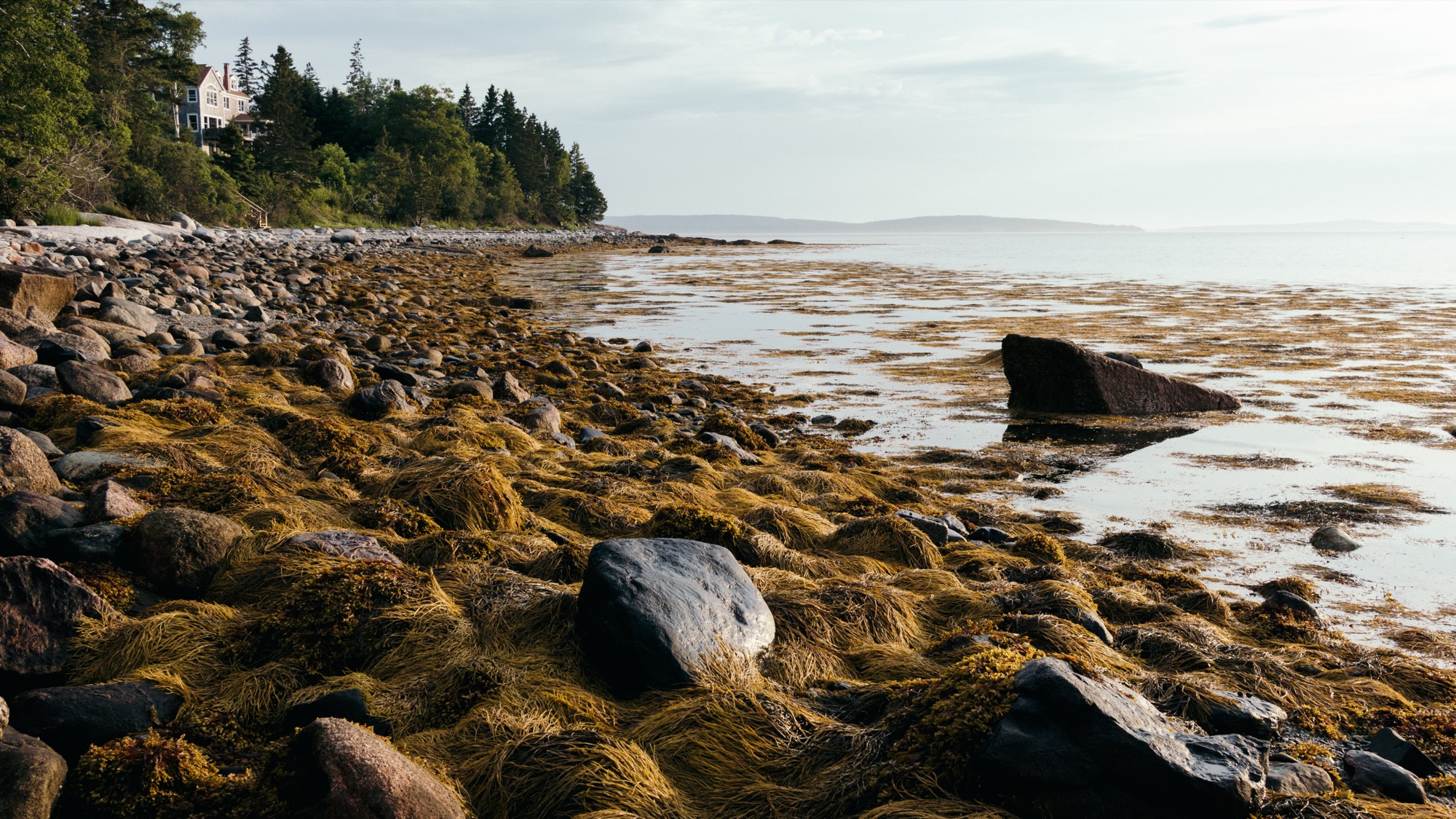
Not until I got up early the first day and went to the beach.
This was the Maine I remember. And for that first morning, I had it all to myself.
I did what I always tend to do and went exploring – up and down the coastline, through the set of cabins on this part of the shore, taking advantage of the early morning light.
Then the family woke up, and we explored the jagged, rocky beach together.
The tide was a new thing for us Michiganders. Here on the peninsula, we had to pay attention: there were several islands you could walk out to at low tide. But come high tide, you might get stranded.
And the bay’s ocean water, just like in Nova Scotia, was freezing. So we mainly played on the rocks.
Later that night, after dinner, we took a stroll back down to the coast to watch blue hour come in at high tide.
Maine was different. More rugged. A little more wild. And there was lots more to see.